

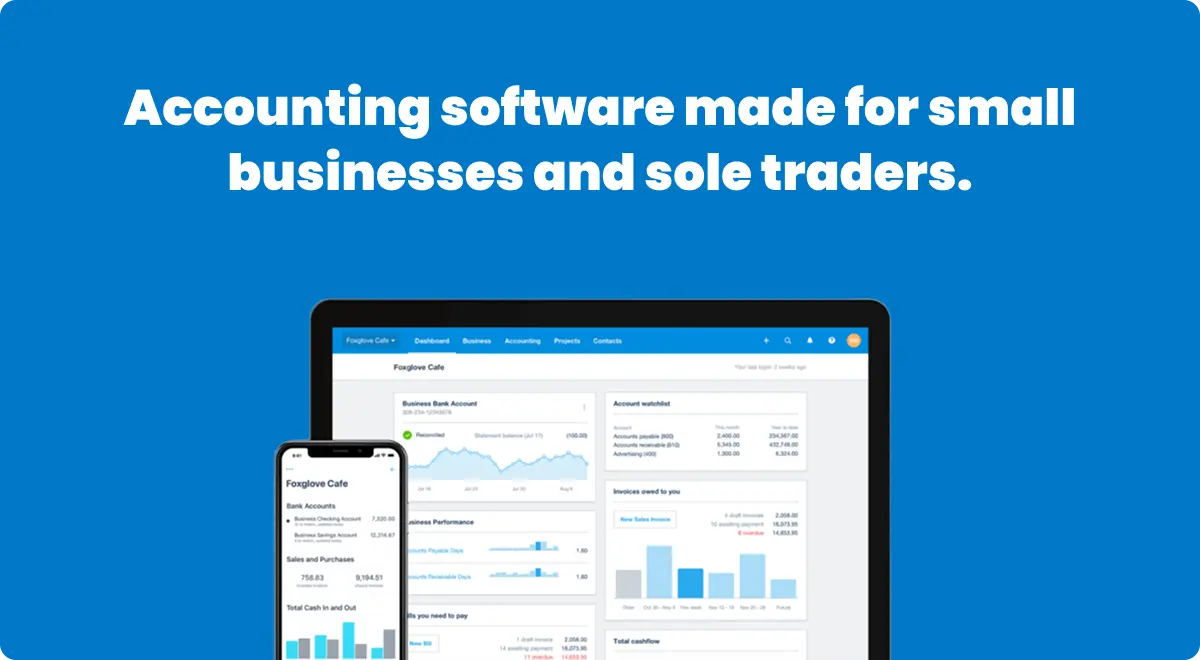
Xero crossed 4.6 million subscribers in 2026, and for good reason. It's one of the few accounting platforms that gives you unlimited users on every plan, connects to over 1,000 business apps, and just launched an AI that auto reconciles 80% of your bank transactions. Plans start at $25/month (with 95% off available for new users), and there's no per user fee no matter how big your team gets. But it also has no free plan, no built in US payroll, and a $25/month starter tier that limits you to just 20 invoices. Here's everything you need to know before signing up.
Try Xero — 95% Off for 6 MonthsWhat is Xero?
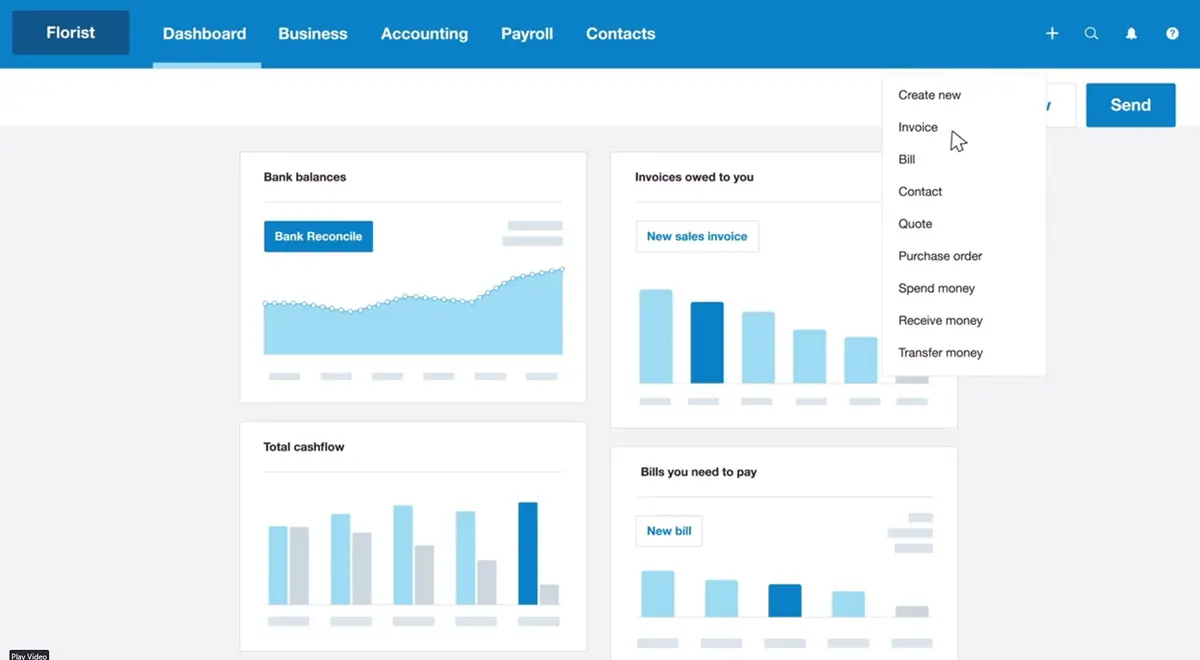
Xero is a cloud based accounting platform built for small to medium sized businesses. It handles invoicing, bank reconciliation, bill payments, expense tracking, financial reporting, and inventory management. Everything runs in your browser or through the mobile app, so there's nothing to install and no desktop software to maintain.
The company was founded in New Zealand back in 2006, and it's become one of the biggest players in accounting software globally. It's especially dominant in Australia, New Zealand, and the UK, and it's been steadily growing in the US market where QuickBooks has traditionally owned the space.
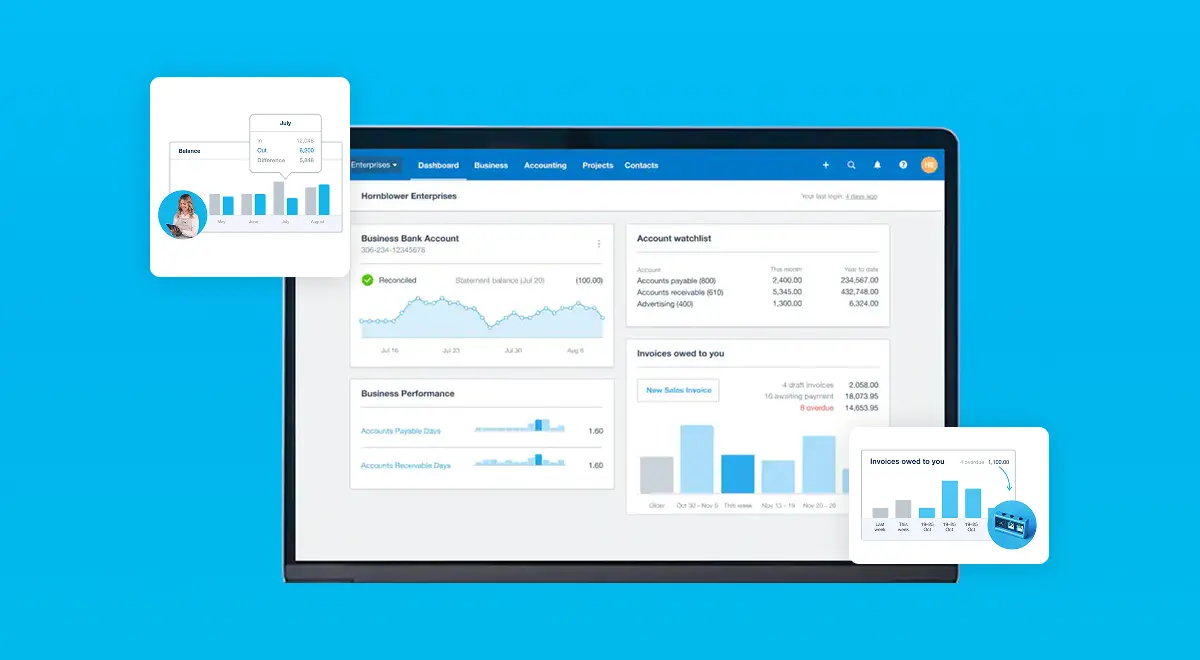
What sets Xero apart from most competitors is the unlimited users policy. Every single plan, from the cheapest to the most expensive, lets you add as many users as you want at no extra cost. QuickBooks charges per user on most plans. FreshBooks charges per user. Xero doesn't. If you have a bookkeeper, an accountant, a business partner, and three team members who all need access, that's zero additional cost on Xero.
The other big differentiator is the app ecosystem. Xero connects to over 1,000 third party apps through the Xero App Store. Payment processors like Stripe and PayPal, ecommerce platforms like Shopify, CRM tools like HubSpot, inventory management, time tracking, you name it. This makes Xero more of a financial hub for your business rather than just an accounting tool.
Who is Xero built for?
Xero works best for small to medium businesses that need professional accounting without hiring a full time bookkeeper. If you're a freelancer tracking invoices and expenses, a growing team that needs everyone to access the books, or an established business that wants cloud accounting with deep integrations, Xero is built for you.
Service based businesses get a lot of value here. Consultants, agencies, IT firms, and contractors can use Xero's project tracking (on the Established plan) to monitor time and costs against specific jobs. You can see exactly how profitable each project is and catch problems before they eat into your margins.
International businesses are another sweet spot. The Established plan handles transactions in over 160 currencies with real time exchange rate updates. If you invoice clients in Europe, pay suppliers in Asia, and run your books in USD, Xero handles all of that without manual currency calculations.
On the other hand, if you need robust built in payroll in the US, Xero might frustrate you. US payroll runs through a Gusto integration that costs extra ($49/month plus $6/employee). QuickBooks has native payroll built in. If payroll is your top priority and you're US based, that's worth considering. Also, very high volume businesses processing thousands of transactions daily might find QuickBooks Enterprise or a dedicated ERP solution more appropriate.
The features that actually matter
Xero has a massive feature list, but not everything matters equally. These are the features that actually make a difference in how you run your business day to day.
Bank reconciliation and JAX AI
This is where Xero genuinely shines. The platform connects to thousands of banks worldwide and pulls in transactions automatically. You match each transaction to an invoice, bill, or expense category. In 2026, Xero rolled out JAX (Just Ask Xero), their AI superagent that auto reconciles bank transactions with high confidence. Xero says JAX can handle over 80% of your reconciliations automatically. Early users report saving 4+ hours per week on bookkeeping. You keep full control and can review everything JAX does, but the days of manually matching every single transaction are basically over.
Online invoicing
You can create professional invoices, add your logo and branding, set payment terms, and send them directly from Xero. The invoices include "Pay Now" buttons that accept credit cards, debit cards, and bank transfers. Xero also has automatic payment reminders, so you're not manually chasing clients. On the Growing and Established plans, you can convert quotes to invoices with one click, which is a nice time saver for service businesses.
Hubdoc integration
Hubdoc comes included with most Xero plans. It lets you capture receipts and bills using your phone camera or email. Snap a photo of a receipt, and Hubdoc extracts the data and syncs it directly into Xero. No more shoeboxes full of receipts at tax time. It creates a searchable digital paper trail for every transaction, which your accountant will thank you for.
Multi currency accounting
Available on the Established plan ($90/month), Xero handles transactions in over 160 currencies. Exchange rates update automatically, and the system calculates realized and unrealized gains and losses for you. If you work with international clients or suppliers, this feature alone can justify the upgrade. Most competitors either don't offer multi currency at all or charge significantly more for it.
Project tracking
Also on the Established plan, project tracking lets you assign time and expenses to specific jobs. You can set budgets, track hours, and compare actual costs against your initial quotes. For agencies, consultants, and contractors who need to know which projects are profitable, this is essential. On the Growing plan, you can add this as an optional add on.
Financial reporting
Xero provides over 80 standard reports including profit and loss, balance sheet, cash flow, aged receivables, aged payables, and budget vs actual. On the Established plan, you get a 180 day cash flow forecast. The Growing plan gives you 30 days. Reports are customizable, you can filter by date, tracking category, or contact, and export to PDF or Excel. The embedded Syft Analytics adds visual dashboards and deeper performance insights on all plans.
Want to see all these features yourself? Xero offers a 30 day free trial with full access. Plus, get 95% off for 6 months through our partner link.
Get 95% Off XeroXero pricing in 2026: what you'll actually pay
Xero's US pricing is straightforward with three plans. No per user fees, no annual contracts required. You pay monthly and can cancel anytime with one month's notice.
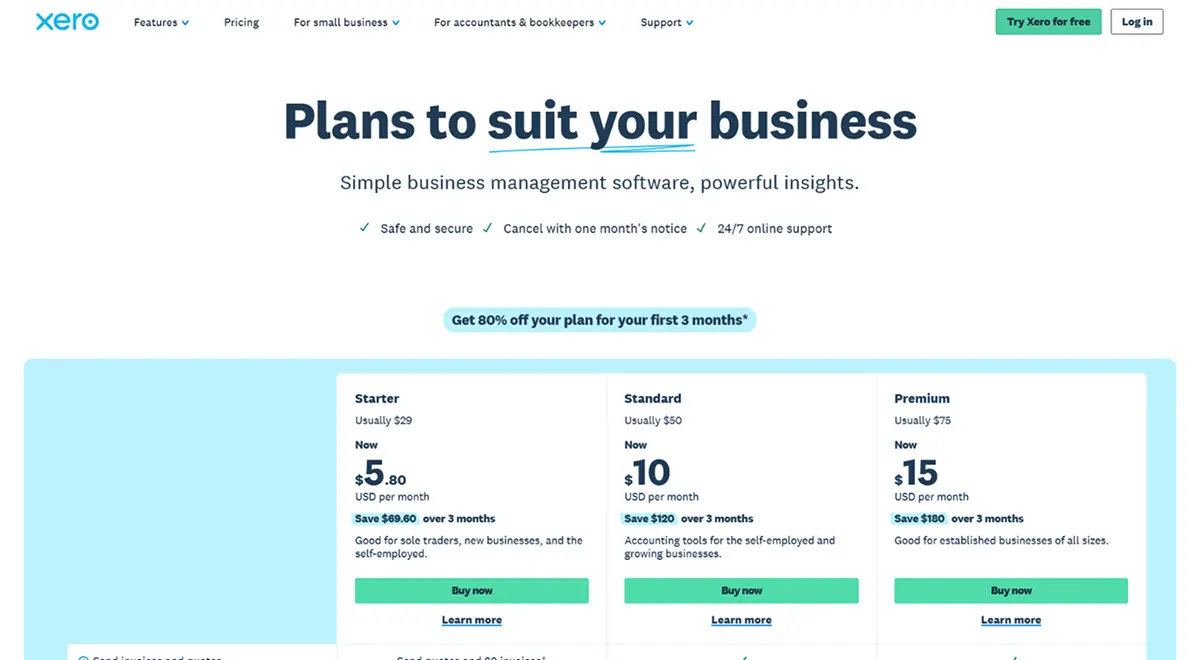
The Early plan at $25/month is the entry point. You get bank reconciliation, Hubdoc for receipt capture, real time reports, sales tax management, W-9 and 1099 tracking, and a 30 day cash flow forecast. The catch is you're limited to 20 invoices and 5 bills per month. That limit applies to both sending and approving invoices, so it fills up faster than you'd expect. For a solo freelancer who sends a handful of invoices, it works. For any active business, you'll outgrow it quickly.
The Growing plan at $55/month is where most small businesses land. It removes all invoice and bill limits, so you get unlimited transactions. You also get auto reconciliation (beta), customizable performance dashboards, tailored financial health scorecards, and the ability to make online bill payments. This is the sweet spot for most businesses, and honestly, it's where we'd recommend starting unless you specifically need multi currency or project tracking.
The Established plan at $90/month adds multi currency support, project tracking, expense claims, KPI analysis, and a 180 day cash flow forecast. If you work with international clients or need to track profitability by project, you need this plan. Otherwise, Growing covers everything most businesses actually use.
Xero also has a Lite plan at $7/month (currently $1.40/month with the promo) for micro businesses and side hustles. It includes 5 invoices, online payments, bank reconciliation, Hubdoc, and real time reports. Think of it as a step up from spreadsheets for someone just getting started.
Here's what matters most about Xero pricing: every plan includes unlimited users. Your accountant, your bookkeeper, your business partner, your employees, all of them can access Xero without adding a single dollar to your bill. QuickBooks Online Plus charges $99/month and caps you at 5 users. That alone can make Xero significantly cheaper for teams.
"We identified a $5,000 saving on our email software alone just by looking closely at our expenses in Xero. The real-time financial data helped us pivot our entire business"
— Michael Alexis, CEO, TeamBuildingThe free trial: what you get and where it stops
Xero doesn't have a permanent free plan. That's worth being upfront about, because competitors like Wave offer free accounting software forever. What Xero does offer is a 30 day free trial with full access to features, plus your first month free when you purchase any plan.
What you get during the trial: Full access to all features on whichever plan you choose to trial. You can connect your bank, send invoices, reconcile transactions, run reports, and test the automation features. Xero also provides a pre built demo company so you can explore the software with sample data without touching your real books. No credit card required to start.
Where it stops: After 30 days, you need to pick a paid plan or lose access. There's no ongoing free tier for basic bookkeeping like Wave or ZipBooks offer. For businesses that are pre revenue or very early stage, this is a legitimate drawback. You're committing to at least $25/month from day one.
That said, Xero regularly runs promotional discounts for new customers. Right now, you can get 95% off for 6 months through our partner link. That brings the Early plan down to about $1.25/month and the Growing plan to about $2.75/month for half a year. That's basically free to test whether Xero fits your business long term.
What real users are saying about Xero
We went through hundreds of reviews across G2, Capterra, Trustpilot, and Reddit to get the full picture of what people actually experience with Xero.
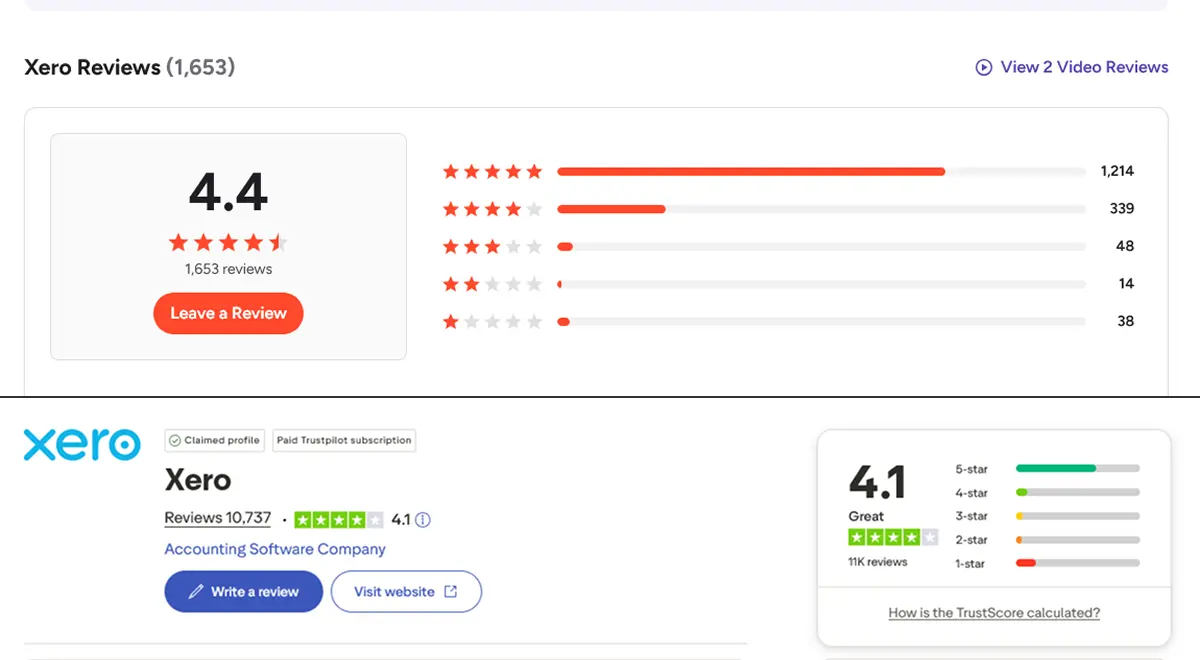
Xero holds a 4.3 out of 5 on G2 (600+ reviews), 4.4 out of 5 on Capterra (3,000+ reviews), and a 4.1 out of 5 on Trustpilot (10,000+ reviews). The most consistently praised aspects are the clean interface, bank reconciliation speed, and the fact that unlimited users means the whole team can access the books without extra charges.
On Reddit's r/Bookkeeping and r/smallbusiness, the conversation around Xero is mostly positive with some fair criticism. Users frequently praise how intuitive the interface is compared to QuickBooks. Multiple bookkeepers who've used both say Xero feels more modern and less cluttered. The bank feed reliability also gets mentioned a lot. Xero uses direct API connections with most major banks rather than older screen scraping methods, which means fewer dropped connections.
The most common complaints center on three things: no phone support (you can only reach Xero via email tickets and online help), the Early plan limits being too restrictive for real businesses, and occasional price increases that users feel aren't justified. Some users also mention that reporting could be more granular, especially compared to QuickBooks' advanced reporting on higher tier plans.
One pattern we noticed: users who switched from QuickBooks to Xero almost always mention the unlimited users as the deciding factor. Several reviews specifically call out scenarios where they were paying $50+ per month extra on QuickBooks just for additional user seats that cost nothing on Xero.
Honest pros and cons breakdown
What we like
What could be better
Who should use Xero (and who shouldn't)
Xero is a strong fit if you have a growing team and need multiple people accessing the books without per user fees, work with an external accountant or bookkeeper who already knows Xero, do business internationally and need multi currency support, want a clean modern interface that doesn't require accounting expertise, or need your accounting software to connect with a wide range of business apps.
You might prefer a different tool if you need built in US payroll without paying for a separate integration (QuickBooks), are pre revenue and need free accounting software indefinitely (Wave), need advanced inventory management for a product heavy business (QuickBooks Online Plus or Advanced), or prefer phone based customer support for urgent accounting questions.
"The dashboard is easy to use, reporting functions work well, and recording transactions is straightforward. Keeping bank activity up to date is simple."
— Sarah R., Capterra ReviewHow Xero stacks up against the competition
There are several strong accounting platforms in 2026. Here's how Xero compares to the most common alternatives.
Xero vs QuickBooks Online: This is the comparison everyone wants. QuickBooks dominates the US market, but Xero is gaining ground fast. Xero wins on unlimited users (QuickBooks charges per user on most plans), a cleaner interface, and better multi currency support. QuickBooks wins on native payroll, stronger built in inventory, and more advanced reporting on higher tiers. For a solo business owner or small team, Xero is typically cheaper. For a US business that needs integrated payroll and inventory, QuickBooks might edge ahead. We have a full QuickBooks vs Xero comparison if you want the detailed breakdown.
Xero vs FreshBooks: FreshBooks is built for freelancers and service providers. It has superior time tracking, beautiful invoicing, and a very simple interface. Xero is more capable as a full accounting platform with double entry bookkeeping, deeper reporting, and way more integrations. If you're a solo freelancer who mainly needs invoicing and basic expense tracking, FreshBooks is simpler. If you need real accounting capabilities and plan to grow, Xero is the stronger choice.
Xero vs Wave: Wave is completely free for basic accounting, invoicing, and receipt scanning. That's its biggest advantage. Xero destroys Wave on features, integrations, automation, and scalability. Wave has no multi currency, limited reporting, fewer integrations, and a much smaller feature set overall. If you're a very early stage business with zero budget, start with Wave. But you'll almost certainly outgrow it and switch to something like Xero once your business picks up.
Xero vs Zoho Books: Zoho Books offers strong value, especially if you already use other Zoho tools. It's cheaper than Xero on most tiers and includes some features that Xero charges more for. However, Xero has a much larger app ecosystem, more accounting professionals who know the platform, and a more polished interface. If you're already in the Zoho ecosystem, Zoho Books makes sense. Otherwise, Xero's broader integration network and professional community give it an edge.
How to get started without the overwhelm
Xero has a lot of features, but you don't need to use all of them on day one. Here's a practical approach to getting set up without feeling overwhelmed.
Start by signing up through our partner link for 95% off. You'll get a 30 day free trial, and then 95% off for your first 6 months. Pick the Growing plan if you're not sure. It's the most popular for a reason, and you can always downgrade later.
Once you're in, connect your bank account first. This is the single most important step. Xero will start pulling in transactions automatically, and the AI reconciliation will begin learning your patterns. Most major banks connect in minutes.
Next, set up your chart of accounts and customize your invoice template. Xero has default account categories that work for most businesses, but you'll want to tweak them to match how you track income and expenses. For invoices, add your logo, set your payment terms, and enable the "Pay Now" button so clients can pay directly.
After that, install Hubdoc on your phone and start snapping photos of every receipt. This builds your digital paper trail from day one. When tax season comes around, you'll have every expense documented and categorized.
If you're switching from another platform, Xero supports CSV imports for contacts, invoices, and opening balances. Many accountants specialize in Xero migrations and can help you move historical data cleanly. Xero also offers free personalized onboarding with a product specialist during your first 90 days.
Frequently asked questions
Xero has three main plans in the US. Early costs $25/month and includes 20 invoices and 5 bills. Growing costs $55/month with unlimited invoices and bills. Established costs $90/month and adds multi currency, project tracking, and expense claims. All plans include unlimited users with no per user fees. New customers can currently get 95% off for 6 months through select partner links, bringing the Growing plan down to about $2.75/month.
Yes, Xero is one of the strongest accounting platforms for small businesses in 2026. The unlimited users policy alone sets it apart from most competitors. The interface is clean enough for business owners without an accounting background, and the 1,000+ app integrations mean you can connect it to virtually any other tool you use. The Growing plan at $55/month covers what most small businesses need. The only notable downside is there is no permanent free plan, though the 30 day free trial and promotional discounts make it very affordable to get started.
No, Xero does not offer a permanent free plan. However, every new subscription includes one free month to get started, and there is a 30 day free trial where you can test all features with no credit card required. Xero also includes a demo company with sample data so you can explore the software before committing. For the most affordable entry point, new customers can access promotional discounts of up to 95% off for the first 6 months through partner links.
It depends on what matters most to your business. Xero wins on unlimited users (QuickBooks charges per user on most plans), a cleaner and more modern interface, and stronger multi currency support for international businesses. QuickBooks wins on native US payroll, more advanced inventory management features, and a larger accountant network in the United States. For growing teams that need multiple people in the books without extra per seat charges, Xero typically offers better value. For US businesses that need integrated payroll and detailed inventory tracking, QuickBooks may be the better fit.
In the US, Xero partners with Gusto for payroll processing. Gusto costs $49/month plus $6 per employee on top of your Xero subscription. The integration syncs payroll data directly into your Xero books automatically, so your financial records stay accurate without manual data entry. In Australia, New Zealand, and the UK, Xero has built in payroll features included in the plans. If native US payroll is a dealbreaker, QuickBooks has it built into several of their plans without requiring a third party integration.
JAX stands for Just Ask Xero. It is Xero's AI financial superagent that launched in late 2025 and has been rapidly expanding throughout 2026. JAX can automatically reconcile bank transactions with high confidence, provide instant cash flow and profit insights, answer questions about your financial data, and automate routine bookkeeping tasks. In March 2026, Xero announced a multi year partnership with Anthropic (makers of Claude AI) to bring even deeper AI reasoning capabilities into the platform. JAX is designed to handle over 80% of routine reconciliations automatically while keeping you in full control.
Final verdict: is Xero worth it in 2026?
Yes, Xero is a genuinely good accounting platform, and in 2026 it's better than it's ever been. The combination of unlimited users, 1,000+ integrations, AI powered reconciliation through JAX, and a clean interface that non accountants can actually navigate makes it one of the strongest choices for small to medium businesses.
The platform's biggest strength is how it scales with your business. You can start on the Early plan as a freelancer, move to Growing as your team expands (without paying more for user seats), and graduate to Established when you need multi currency or project tracking. That growth path without switching platforms is worth a lot.
The biggest weaknesses are real but manageable. No free plan means you're paying from day one, though the 95% off promotion makes that practically free for the first 6 months. The Early plan's 20 invoice limit pushes most businesses to the $55/month Growing plan sooner than they'd like. US payroll requiring a separate Gusto subscription adds cost. And the lack of phone support means you're on your own for urgent issues unless your accountant can help.
If you've been on the fence, now is genuinely the best time to try it. The 95% off promotion lets you run the Growing plan for about $2.75/month for 6 months. Connect your bank, send a few invoices, let JAX handle your reconciliation, and you'll know within a week whether Xero fits how you work. For most small businesses, it will.
Ready to see if Xero fits your business? Get the Growing plan with unlimited invoices, unlimited users, and AI reconciliation. 95% off for 6 months, no strings attached.
Get 95% Off Xero Now