

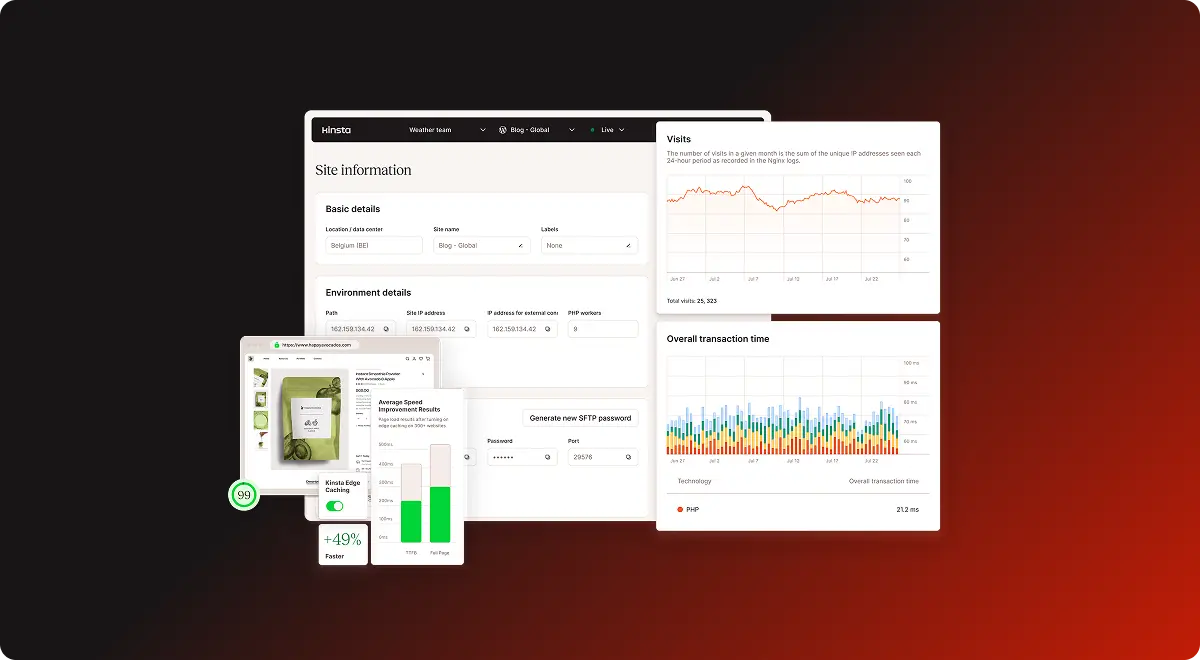
Your WordPress site is slow. Support takes 12 hours to reply. Every plugin update feels like Russian roulette! Traffic spikes turn your site into a 503 error. If any of that sounds familiar, you're not alone, and you've probably been told the fix is Kinsta. The question is whether Kinsta actually delivers on the premium promise, or whether $35/month is just fancier shared hosting in a nicer dashboard.
This review cuts through the marketing and looks at what Kinsta really delivers in 2026, where it genuinely wins, and whether it deserves a spot in your hosting decision.
Try Kinsta freeWhat is Kinsta and what makes it different?
Kinsta launched in 2013 with a single focus: managed WordPress hosting done right. No bloat, no shared resource games, no cheap VPS dressed up as WordPress hosting. The company now serves 230,000+ businesses and brands globally and processes billions of monthly visits across its infrastructure.
What actually makes Kinsta different from the rest of the hosting market is the technical stack underneath. Every site runs in an isolated Linux container on Google Cloud's C3D machines, meaning your WordPress install never shares CPU, RAM, or PHP threads with another customer. The CDN is Cloudflare Enterprise with 300+ PoPs (most hosts use the free Cloudflare tier). The dashboard is MyKinsta, a custom-built interface that replaces cPanel entirely.
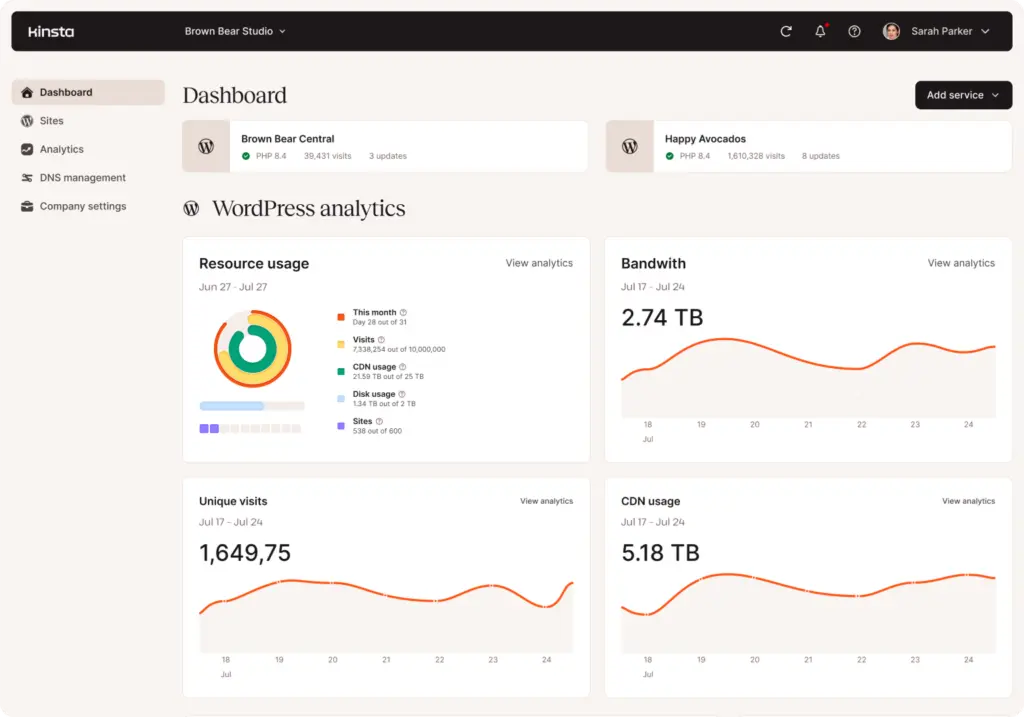
The infrastructure advantages show up in real numbers. 37 global data centers let you host closest to your audience. 300+ Cloudflare Enterprise edge locations handle caching and DDoS protection. The built-in APM (Application Performance Monitoring) tool is home-built and included free, so you don't need a $150/month New Relic subscription to find slow plugins or database queries.
One thing to know upfront: Kinsta is not shared hosting wearing a fancy hat. The container architecture means you pay for isolated resources. That's why the starting price is $35/month and not $3.99/month. Whether that's worth it depends entirely on what your site does and what it earns.
Who is Kinsta built for?
Kinsta works best for agencies, SaaS companies, ecommerce stores, and any WordPress site that actually generates revenue. The container architecture, Google Cloud C3D CPUs, and Cloudflare Enterprise setup aren't free to operate, and Kinsta doesn't pretend to compete on budget pricing. You're paying for performance and support that don't break when traffic spikes.
Agencies and freelancers managing multiple client sites get real value from the agency plans. Starting at $284/month, you get unbranded reporting, team access control, client billing integrations, and the ability to allocate WordPress installs across client accounts. One Kinsta agency plan often replaces 10+ cheap hosting accounts with a single dashboard.
On the other hand, Kinsta is probably not right for hobby blogs, personal sites, or anyone just starting out without revenue. At $35/month minimum, you're spending $420/year on hosting before you've earned a dollar. For a starter site, check our Namecheap review or our Hosting.com review for hosts that deliver solid WordPress performance at a fraction of the price.
If you're running a WooCommerce store doing $10K+ per month in revenue, a SaaS marketing site with enterprise leads on the line, or an agency where site downtime costs you clients, Kinsta is exactly the right tool. The ROI math is easy: one hour of downtime on a revenue site often costs more than a year of Kinsta hosting.
The features that actually matter
Kinsta ships a lot of features. Here are the ones that actually affect your day-to-day site performance and management.
Google Cloud C3D infrastructure on 37 data centers
Every Kinsta site runs on Google Cloud's latest C3D machines with dedicated vCPUs and RAM in isolated containers. You pick the data center location at signup from 37 global options, so your site sits closest to your actual audience. This is the same infrastructure that powers Google's own products. TTFB consistently clocks under 200ms on properly configured sites.
Cloudflare Enterprise included free on every plan
This is the feature most people miss when comparing prices. Kinsta bundles Cloudflare Enterprise (not free Cloudflare) on every plan. That's 300+ edge PoPs, enterprise DDoS protection, advanced firewall rules, full-page edge caching, and HTTP/3 support. As a standalone Cloudflare Enterprise contract, this would cost $200+/month. Here it's included in the $35 starter plan.
Free migrations by a human team
Every Kinsta plan includes unlimited free migrations handled by an actual human team, not an automated plugin. You fill out a form with your current host credentials, and Kinsta's migration engineers move the site over, test it on a staging URL, and hand it back when it's ready. For agencies moving multiple client sites, this is genuine dollar value. Most hosts charge $150+ per migration or leave you to figure it out yourself.
Built-in APM tool, no external services needed
The Kinsta APM tool is included free on every plan and gives you a visual breakdown of slow PHP processes, MySQL queries, and external API calls. Most hosts send you to buy New Relic at $150/month for this. Kinsta's version is built in-house and sits inside the MyKinsta dashboard. For diagnosing slow pages or finding resource-heavy plugins, it's enough for most sites.
Automatic daily backups with 14 to 30 day retention
All plans include automatic daily backups with 14-day retention on entry plans and up to 30 days on higher tiers. You can restore to the live site or to staging with one click. Hourly and 6-hour backup frequency is available as an add-on for critical sites. There's also Kinsta Automatic Updates, which runs plugin and theme updates with visual regression testing and automatically rolls back if anything breaks.
Want to try Kinsta without committing a dollar? Select plans include the first month completely free, with no credit card needed upfront and cancel anytime. Every plan also comes with a 30-day money-back guarantee and free migration handled by Kinsta's own team, so you can move your site, run it live, and decide after you've seen the real numbers.
Start free with KinstaKinsta pricing in 2026: what you'll actually pay
Kinsta's pricing is transparent but tiered by traffic, sites, and resources. Here's what you actually pay in 2026 and which plan you'll probably end up on.
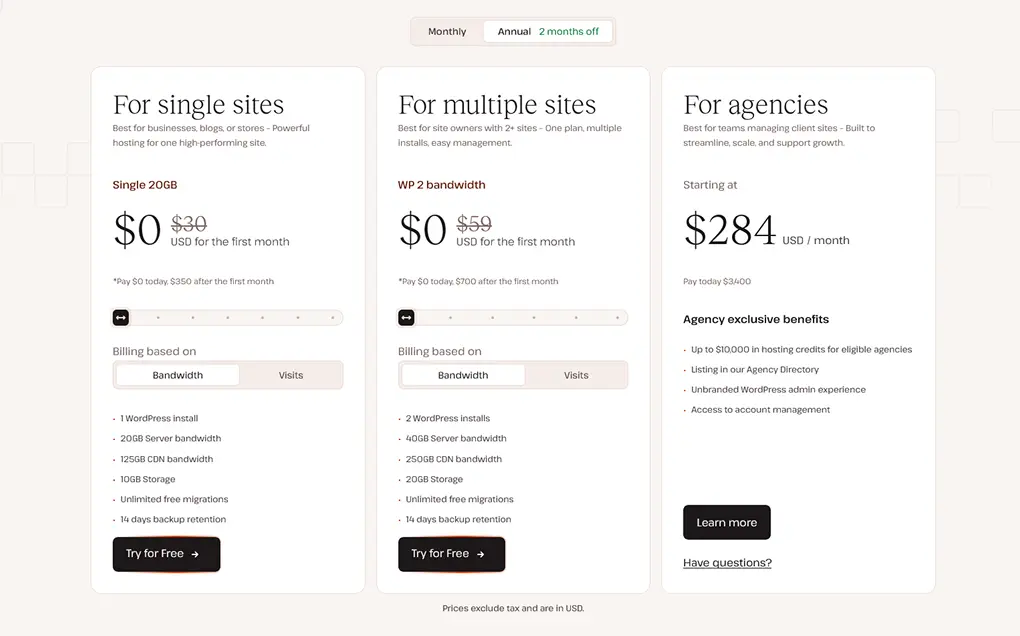
The smart move for most people is to start on the free first month (available on select plans, no credit card needed to try it) and figure out which tier actually fits your traffic. You can cancel anytime during the trial, or lean on the 30-day money-back guarantee on any paid plan if something's off after you launch.
Once you're ready to pick a plan, here's the honest breakdown. The Single 35k visits plan at $35/month (or $29.17/month annual, 2 months free) is the entry point: 1 WordPress install, 10GB SSD, 35,000 monthly visits, and the full stack including Cloudflare Enterprise and daily backups. It's fine for a single revenue site under 35k visits.
The WP 2 plan at $58/month is where most serious users actually land. 2 WordPress installs, 100,000 monthly visits, 20GB SSD. For the extra $23/month over the Single plan, you triple your traffic ceiling and get room to host a staging site or a second project. If you're running a business site with any real traffic, this is the smart buy.
The WP 5 plan at $96/month covers 5 sites and 250k visits. WP 10 at $198/month covers 10 sites and 600k visits. Small agencies typically land on WP 5 or WP 10. Agency plans start at $284/month with white-label reporting, team access controls, and Agency Directory listing. Enterprise plans scale up to $1,650/month for 150 sites and 3 million monthly visits.
One thing to watch: Kinsta uses visit-based pricing, not bandwidth. A "visit" is defined differently than Google Analytics pageviews, so fast-growing sites can hit overages. Kinsta also offers a bandwidth-based model you can switch to in the dashboard if visits don't fit your traffic pattern.
"Kinsta is fantastic. I smile every time I work with them. And smiling is hard to do when a server is melting down. Knowing they have my back makes the worst issues tolerable."
— Vanessa H., Lead Product Manager at Google SupportSpeed and support: the two things that justify the price
Every managed WordPress host claims "blazing fast speed" and "expert 24/7 support." Kinsta is one of the few that actually delivers both at a level that shows up in your numbers.
On speed, the Google Cloud C3D infrastructure plus Cloudflare Enterprise edge caching gives you consistent TTFB under 200ms on properly built sites. Full-page edge caching means most visitors never touch your origin server at all, pages load from the nearest of 300+ Cloudflare PoPs. The isolated container model means you never get the shared-hosting "slow neighbor" effect that kills SiteGround and Bluehost sites under load.
Case studies back the marketing up. NapLab runs 150k monthly visits without a glitch after migrating from a dedicated server setup that kept throwing page speed issues. Kinsta reports a 200% average speed boost when sites migrate from other hosts, and sub-200ms TTFB as the baseline expectation rather than the exception.
On support, Kinsta's team answers live chat in under 2 minutes 98% of the time, and every conversation goes to a human WordPress engineer, not a tier-one script reader. The support works in 10 languages. This matters because when your site breaks, you want someone who can actually read PHP stack traces and not someone who tells you to clear your browser cache and restart your router.
One honest caveat: Kinsta does not include email hosting. You'll need Google Workspace ($6/user/month), Microsoft 365, or Zoho Mail on top. This is standard for premium managed WordPress (WP Engine and Cloudways don't include email either), but worth knowing so you don't get surprised at checkout.
What real users are saying in 2026
We went through recent reviews on G2, Trustpilot, Reddit, and TrustRadius to see what actual Kinsta customers think in 2026.
The platform holds a 4.8 out of 5 on G2 from 1,200+ reviews, which is genuinely strong for a hosting company at any price point. What stands out in the reviews isn't the star count, it's how consistent the praise is across different use cases: agencies, SaaS teams, ecommerce owners, and solo developers all report similar experiences.
The most consistent praise goes to the speed after migration, the support response times, and the MyKinsta dashboard. One recurring pattern in reviews: users who migrate from SiteGround, Bluehost, or self-hosted VPS setups report dramatic performance improvements without any WordPress optimization work on their end. The infrastructure does the heavy lifting.
Common complaints are predictable. Price comes up in nearly every critical review. At $35/month minimum, Kinsta is 10x the cost of entry-level shared hosting, and that's a hard sell for hobby sites. A handful of users also report visit-based pricing overages catching them by surprise when traffic spikes, though Kinsta now offers a bandwidth-based plan option to solve this. Some agencies mention wanting more white-label flexibility.
One TrustRadius review from Jeffrey Carandang, Founder of Widget Options, captured what most long-term customers say: "Great performance and the best technical support. I've moved from WireShire at which I experienced a lot of downtime since the acquisition. I'm amazed how my website's performance drastically improved and is loading fast now."
Honest pros and cons breakdown
So is Kinsta good across the board or are there real trade-offs? Here's our straight take after reviewing infrastructure, pricing, user feedback, and the G2 data.
What we like
What could be better
Who should use Kinsta (and who shouldn't)
Kinsta is a strong choice if you run a revenue-generating WordPress site, operate an agency managing multiple client sites, host a WooCommerce store where downtime costs you sales, or need enterprise-grade infrastructure without hiring a DevOps team. The first month free plus the 30-day money-back guarantee makes testing genuinely risk-free.
Skip Kinsta if your site doesn't generate revenue yet, you're running a hobby blog with under 5,000 monthly visits, you need cheap shared hosting for email and a small brochure site, or your budget is under $20/month. For those use cases, cheaper hosts like Namecheap or Hosting.com deliver solid performance at a fraction of the cost.
How Kinsta stacks up against the competition
Kinsta competes in the premium managed WordPress hosting space. Here's how it compares against the alternatives most people are also considering in 2026.
Kinsta vs WP Engine. WP Engine runs on AWS, Kinsta runs on Google Cloud C3D. Kinsta generally wins on raw performance and support quality at comparable price points. WP Engine has a slight edge on developer tooling like Local and GitHub integration. For most WordPress sites, Kinsta is the better infrastructure pick. For serious dev workflows, WP Engine's ecosystem matters more.
Kinsta vs SiteGround. SiteGround starts at $2.99/month and Kinsta starts at $35/month. That's not a fair comparison. SiteGround is shared hosting with good caching. Kinsta is isolated container hosting on enterprise infrastructure. For business-critical sites, Kinsta delivers meaningfully better performance and uptime. For starter sites on a budget, SiteGround wins on price.
Kinsta vs Cloudways. Cloudways is flexible and runs on multiple cloud providers (DigitalOcean, AWS, Google Cloud). Kinsta is WordPress-only but more polished and fully managed. Cloudways wins on price flexibility. Kinsta wins on support quality, Cloudflare Enterprise inclusion, and the human migration team.
How to get started without the headaches
Signing up for Kinsta is straightforward, but a few things are worth knowing before you commit.
Start by picking the right plan based on monthly visits, not sites. A Single site plan handles up to 35,000 monthly visits. If your site is under that threshold, Single is fine. If you're at 50,000+ or planning an ad campaign that might spike traffic, size up to the WP 2 plan preemptively. Going over visit limits triggers overage fees.
Next, pick your data center at checkout based on your audience. North American audiences do well on Iowa or Virginia. European audiences should pick Frankfurt or London. Asia-Pacific goes to Tokyo, Singapore, or Sydney. The data center choice affects TTFB significantly, so think about where your real visitors live.
At checkout, consider the annual billing discount. Annual gets you 2 months free, which is effectively a 17% discount over monthly billing. If you're confident Kinsta is a fit after the 30-day trial window, annual saves real money.
After signup, request a free migration from the MyKinsta dashboard. You fill out a form with your current host credentials, Kinsta's team moves the site to a staging URL, you verify everything works, then they push it live. The whole process typically takes 24 to 72 hours depending on site complexity.
"Kinsta's backend infrastructure and CDN integration provides optimal website performance, which is now more essential than ever given the heightened importance of Core Web Vitals for Google SEO."
— Mark D., CEOFrequently asked questions
Kinsta is genuinely good for WordPress, and it's one of the few premium hosts that actually earns the premium label. It runs on Google Cloud's C3D machines with 37 data centers, Cloudflare Enterprise CDN on 300+ edge locations, and isolated container architecture so your site never shares resources with anyone else. The 24/7 support is handled by actual WordPress engineers, not tier-one script readers. The trade-off is price. Plans start at $35/month and scale up fast based on traffic. For a revenue-generating site, the speed and support earn back the cost. For a hobby blog under 5,000 visits a month, budget hosts like Hostinger do the job for a tenth of the price.
Kinsta plans start at $35/month for the Single 35k visits plan, which drops to about $29.17/month on annual billing (you get 2 months free). The WP 2 plan for two sites is $58/month, WP 10 runs $198/month, and agency plans start at $284/month. Enterprise plans scale up to $1,650/month for 150 sites and 3 million monthly visits. Every plan includes free migrations, 24/7 expert support, Cloudflare Enterprise, daily backups, free SSL, and the MyKinsta dashboard. There's a 30-day money-back guarantee on all plans and the first month is free on select tiers.
For revenue-generating WordPress sites, yes, Kinsta is worth it. The Cloudflare Enterprise integration alone would cost over $200/month as a standalone service, and you're getting it bundled into the $35/month starter. Add Google Cloud C3D infrastructure, sub-200ms TTFB, 24/7 WordPress engineers, and the APM tool included free, and the math works out. For a hobby site with no revenue, it's probably overkill. The honest test is traffic plus revenue. If your site earns more than the hosting bill each month, Kinsta pays for itself in speed, uptime, and the hours you don't spend fighting server issues.
Kinsta's pros are serious. You get Google Cloud C3D infrastructure, Cloudflare Enterprise CDN on 300+ PoPs, 37 global data centers, free migrations by a human team, a built-in APM tool, daily backups with 30-day retention, isolated container architecture, and 24/7 support from actual WordPress engineers. The G2 ratings back it up with 4.8/5 across 1,200+ reviews. The cons are the price (starts at $35/month, which is 10x budget hosting) and the visit-based pricing model that can trip up fast-growing sites. There's also no email hosting included, so you'll need Google Workspace or similar on top.
Kinsta offers the first month free on select plans, which is effectively a free trial. All paid plans also include a 30-day money-back guarantee with no conditions, so you can move your site, run it live for a month, and get a full refund if it's not a fit. This combination is generous for premium managed WordPress hosting where most competitors charge upfront with no trial at all. The free migration handled by Kinsta's own team means you can test the full experience without the usual switching headache.
Kinsta generally beats WP Engine on support quality and infrastructure (Google Cloud C3D vs AWS), with comparable pricing at the entry level. Against SiteGround, Kinsta wins on raw performance and isolated container architecture, but SiteGround is cheaper at $2.99/month for the entry plan. The real difference shows up under load. SiteGround is shared hosting at its core, so performance drops as sites scale. Kinsta's isolated containers mean your site never competes with anyone else for resources. For a serious business site, Kinsta is the better long-term pick. For a starter site on a tight budget, SiteGround gets you live for less.
Final verdict: is Kinsta worth it in 2026?
So, is Kinsta good enough to justify the premium price tag in 2026? Yes, for the right use cases. Not as a one-size-fits-all answer, but as the clear premium pick for WordPress sites where performance and uptime directly affect revenue.
The platform's biggest strengths are the Google Cloud C3D infrastructure (genuine enterprise-grade, not marketing fluff), Cloudflare Enterprise included free (a $200+/month value bundled in the base plan), and the support team (actual WordPress engineers, under 2 minutes to respond, 10 languages).
The biggest weakness is price. $35/month is 10x the cost of entry-level shared hosting, and that's a hard sell for hobby sites or early-stage projects. The visit-based pricing model can also catch fast-growing sites off guard if you don't monitor usage. And no email hosting means you'll budget for Google Workspace or similar on top.
If you've been considering it, the first month free on select plans (no credit card needed) is the cleanest way to evaluate fit. Migrate your site, run it live for a month, watch the analytics. If your speed and uptime improve meaningfully, stay on a plan that matches your traffic. If not, cancel before the trial ends or use the 30-day money-back guarantee on any paid plan. For most serious WordPress site owners, Kinsta earns its premium spot in 2026.
Kinsta starts free, no credit card needed to try select plans. If you're running a revenue site with real traffic, the WP 2 plan at $58/month unlocks 100k monthly visits, 2 WordPress installs, and the full Cloudflare Enterprise stack. Every plan includes free migration, a 30-day money-back guarantee, and cancel anytime.
Start free on Kinsta